AI-Powered Multi-Branch School ERP

One login. Every branch. Zero blind spots.

Edu Robo runs admissions, fees, attendance, exams and payroll for every branch of your school group from a single dashboard — with AI generating timetables and reading invoices so your staff don't have to.

Multi-Branch Control AI Timetable Generator Fee Automation Biometric Attendance Exams & Report Cards
Built for single campuses, school groups & coaching chains running 2–20+ branches
Owner DashboardLive
1,248Students
₹2.4LFees Today
4Branches
Anna Nagar Campus₹52,140
T Nagar Campus₹48,900
OMR Campus₹44,760
AI timetable generated in 12s
Fee reminder sent to 24 parents
Single Campus Schools School Groups & Trusts Junior Colleges Coaching & Tuition Chains CBSE / ICSE / State Boards Multi-Branch Chains
The Hidden Cost Of Running On Spreadsheets

Where School Operations Quietly Fall Apart

None of these show up as one big failure. They show up as a missed fee reminder here, a timetable clash there — until report card season and everyone's underwater.

Gap 01

Admission Season Chaos

Paper forms, duplicate entries and missing documents pile up during peak admission rush, and front-office staff spend weeks just re-keying data.

Digital enrollment with CSV bulk import and duplicate validation gets a full batch of admissions in within a day.
Gap 02

Fee Collection Blind Spots

Manual registers mean nobody knows who's paid, who's overdue and by how much until the accountant reconciles everything at month-end.

Live fee dashboards show collected, pending and overdue by student, class and branch — with late fees applied automatically.
Gap 03

No Visibility Across Branches

Trustees running more than one campus can't see today's numbers without calling every principal, one by one, every evening.

One dashboard shows live admissions, fees and attendance across every branch, with a switcher to drill into any one of them.
Gap 04

Timetable Clashes & Last-Minute Redos

Two teachers double-booked, a room clash discovered on day one — timetables built by hand rarely survive contact with a real term.

The AI timetable generator validates staff occupancy and flags clashes before anything is published.
Gap 05

Hours Lost To Manual Certificates

Report cards, transfer certificates and ID cards get laid out by hand in Word or Photoshop before every exam season and event.

The Certificate Designer generates bulk PDFs — TCs, ID cards, certificates — for a whole class in minutes.
Gap 06

Missed Fee Reminders & Parent No-Shows

Parents forget due dates and PTM slots because reminders depend on someone in the front office finding time to call.

Automated voice reminders and bulk announcements go out straight from the fee-dues list, no manual calling.
Gap 07

Payroll Scattered Across Spreadsheets

Salary, leave, substitute teachers and tax settings tracked in separate files means payday is a monthly fire drill.

Payroll handles salary, leave, advances and substitutes together, with a bank-ready export file each cycle.
Everything In One Platform

Built For Real School Operations

Every module is connected — a fee paid at the counter updates the branch dashboard, the accountant's ledger and the trustee's view instantly.

Multi-Branch & Multi-School Control

Run unlimited branches from one login — each with its own staff, fee structure and per-branch role permissions.

AI Timetable Generator

GPT-4o builds a full-school class schedule in minutes, with per-class review, approval and version rollback.

Fees & Accounts

Fee structures, discounts, late fees and full double-entry accounting with GST-ready books.

Biometric & Face Attendance

Fingerprint and face-recognition attendance sync straight to parent notifications and payroll — no manual registers.

Exams & Report Cards

Score entry, teacher approval workflow, scorecards and student progress reports.

Certificate Designer

Drag-and-drop templates for TCs, ID cards and certificates — instant bulk PDF generation for a whole class.

Payroll & HR

Salary, leave, advances and substitute teachers, with a bank-ready export file every cycle.

Transport & Routes

Vehicles, route builder, stop-wise fees and student route assignment on a live map.

Simple Setup

From Enrollment To Every Branch, Live

No extra training needed — the flow follows exactly how your front office already runs a term.

01

Enroll & Set Up

Add branches, classes and students; import existing records via CSV in minutes.

02

Assign Fees & Timetable

Set fee structures per branch and let AI generate a clash-free class timetable.

03

Run Attendance, Exams & Fees

Biometric attendance, exam scores and fee collection all flow through the same live system.

04

See Every Branch, Instantly

Trustees and principals check one dashboard instead of calling every campus.

What Makes Edu Robo Different

AI That Actually Runs Your Back Office

Not a chatbot bolted on top — AI is wired into the modules your staff use every day.

AI Timetable Generator

GPT-4o drafts a clash-free, full-school timetable in minutes, validates staff occupancy, and keeps a version history you can roll back.

Invoice OCR For Inventory

Photograph a vendor invoice and Edu Robo reads it into stock entries automatically — no manual data entry.

AI Holiday Planning

Get a suggested academic holiday calendar each year, reviewed and approved before it's published.

MCP Gateway For AI Agents

A built-in MCP server lets tools like ChatGPT and Claude query live school data and take approved actions — for schools ready to go further.

Product Showcase

See Edu Robo In Action

Real screens from the product — not mockups.
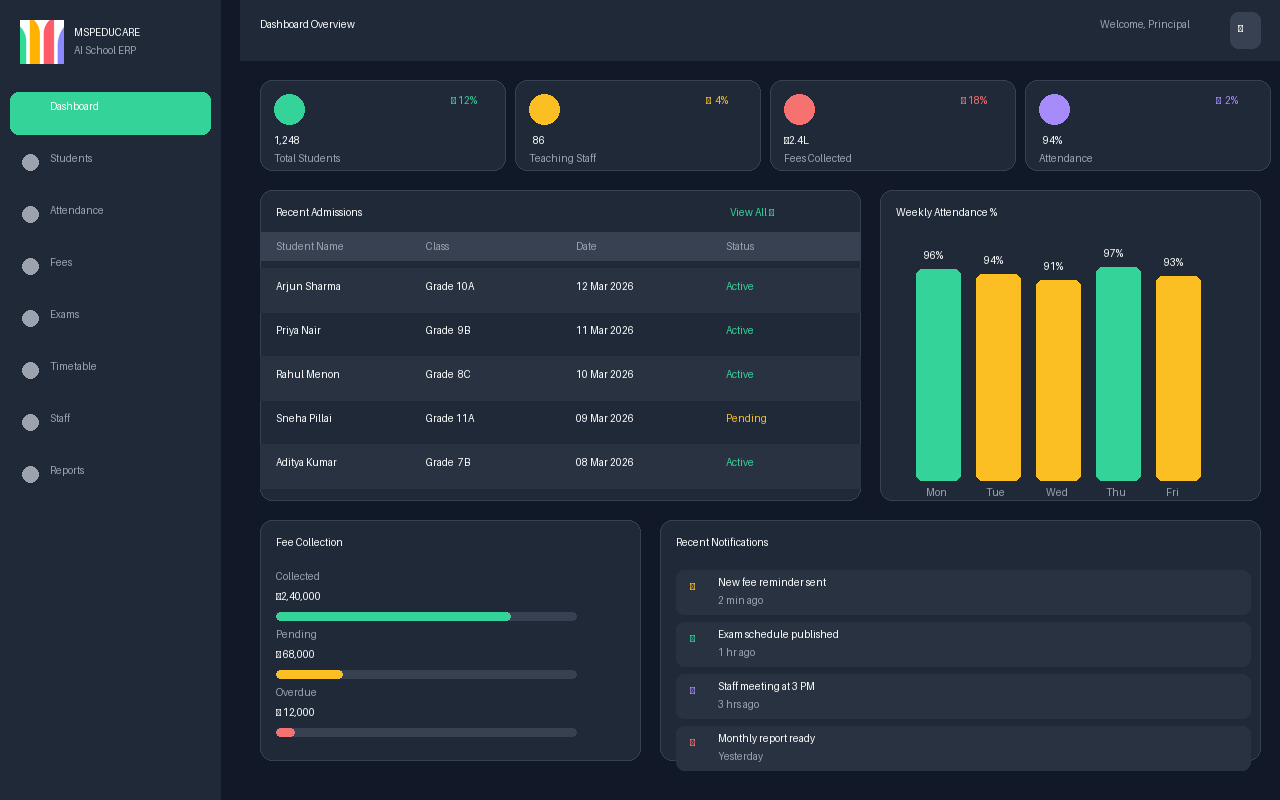
Edu Robo owner dashboard — student stats, attendance and fee collection
Dashboard OverviewLive student counts, staff numbers, fee collection and weekly attendance — one screen, every branch.
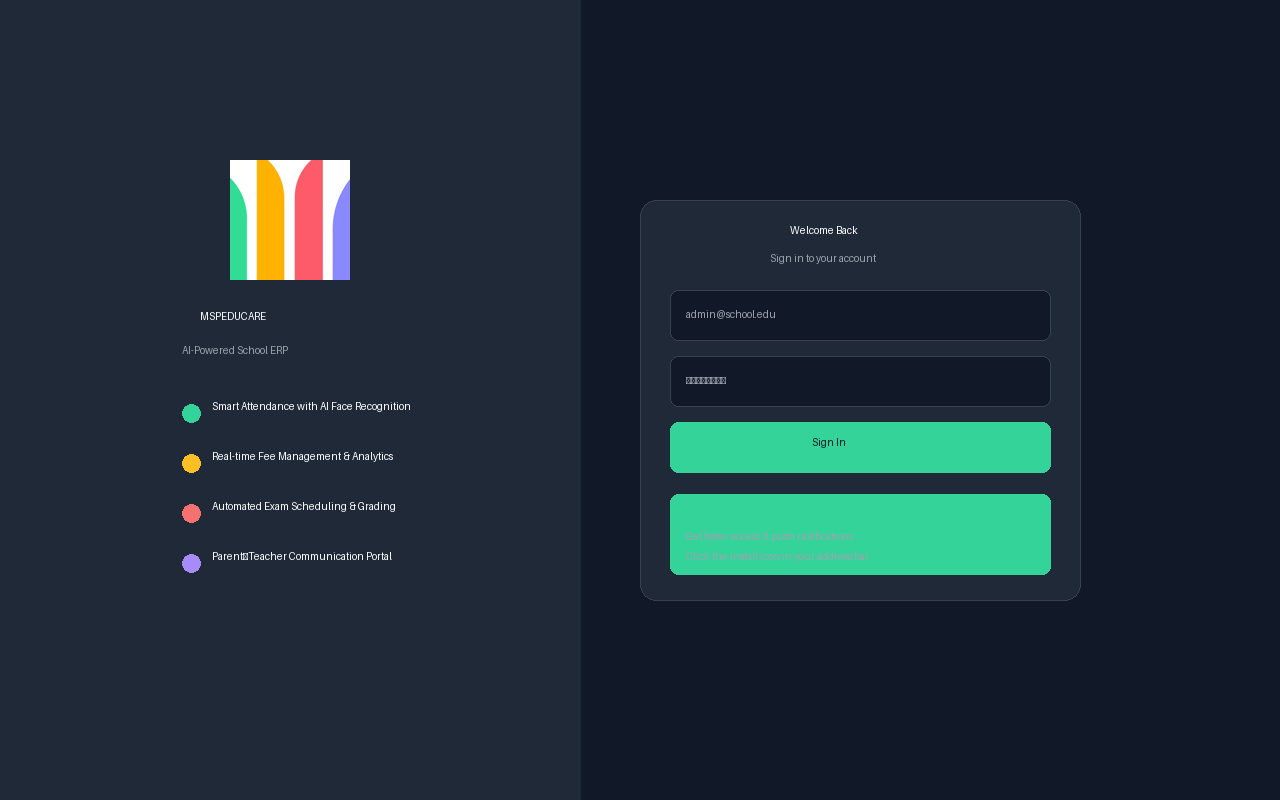
Edu Robo secure sign-in screen
Secure Sign-InRole-based login with AI attendance, fee analytics and exam scheduling highlighted from the first screen.
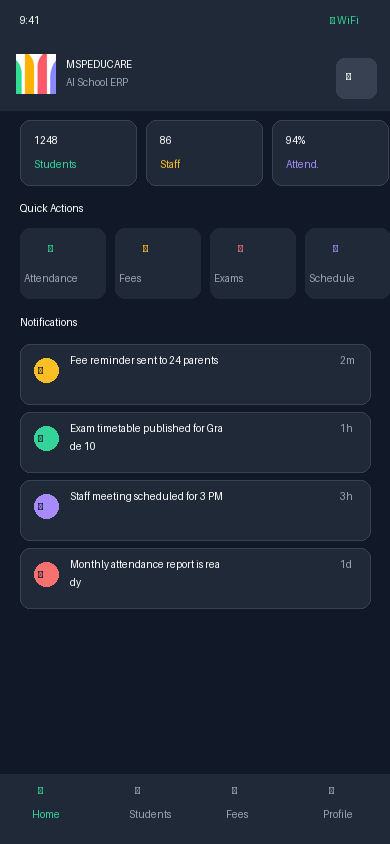
Edu Robo mobile app — quick actions and notifications
Mobile AppQuick actions, notifications and fee reminders — the same data, in your pocket.
Built To Scale

One Login. Every Branch. Zero Blind Spots.

Whether you run one campus or twenty, Edu Robo gives trustees and principals a single, real-time view of admissions, fees and staff across every branch — with role-based access so each branch team only sees what's theirs.

Sample View — Fees Collected Today

Anna Nagar Campus₹52,140
T Nagar Campus₹48,900
OMR Campus₹44,760
Velachery Campus₹38,520
Start Free

Try Edu Robo With Your Own School's Data

No card required to start. Tell us a bit about your school and we'll set up a trial branch within one business day — with your real classes, sections and fee structure, not a demo account.

  • Free for your first branch, full feature access
  • Your data, not a sandbox — see it work on your school
  • A real person sets it up with you, not a self-serve wizard

Send a free trial request

Opening WhatsApp with your request — send it across and we'll reach out within one business day.
We'll message you on WhatsApp to confirm details, then set up your trial branch — no automatic account creation.
Why School Groups Pick Edu Robo

Built For Operators, Not Just Teachers

The details that matter once you're running more than one campus.

Multi-Branch From Day One

Not a single-school tool with branches bolted on — every module is branch-scoped from the database up.

Role-Based, Audited Access

Every discount, edit and cancellation is logged — nothing quietly disappears.

AI Where It Saves Real Hours

Timetables, invoice entry and holiday planning — AI does the tedious parts, your staff approve the result.

A Person Sets Up Your Trial

No generic demo account — we configure your first branch with your real classes and fee structure.

Good To Know

Frequently Asked Questions

Can I manage multiple school branches from one account?

Yes. Every branch has its own students, staff, fee structure and roles, all visible from one login, with a branch switcher for admins who need to move between them.

Is my students' data secure?

Role-based access, a full audit trail on every change, and encrypted storage — student and fee data is only visible to the roles you grant access to.

We're currently on Excel and paper registers — how hard is migration?

Students, staff and fee records can be bulk-imported via CSV, with duplicate validation built in, so you're not re-typing years of records by hand.

How does the AI timetable generator work?

You set constraints — subjects, staff, periods — and Edu Robo drafts a full-school timetable, flags any clashes, and nothing goes live until a staff member reviews and approves it.

Does Edu Robo work for a single school, or only school groups?

Both. A single campus gets the full ERP; the multi-branch layer is there and ready if you open a second branch later.

What happens during the free trial?

We set up your first branch with your real classes, sections and fee structure — not a demo account — so you can judge it on your own school's data.

Ready to run every branch from one dashboard?

Start a free trial with your own school's data, or talk to us on WhatsApp first.

Already a customer? Login to your dashboard

Edu Robo Support

Typically replies within a few hours

Start a Free Trial
Talk to Sales
Technical Support
General Information